






Best AI Image to Video Tools 2026: Top 10 Generators for Cinematic Quality
Best AI Image to Video Tools 2026: The Definitive Guide to Turning Stills into Motion
The days of static images living in isolation are over. In 2026, the ability to transform a single photograph into a compelling, moving narrative is no longer a novelty—it is a fundamental requirement for marketers, creators, and enterprises. The rapid maturation of generative AI has turned what once required a film crew into a process that takes minutes, often with a few clicks.
This guide cuts through the noise to identify the best AI image to video tools 2026 has to offer. We have analyzed the latest models, benchmarked their performance, and evaluated their practical applications. Whether you are a Shopify merchant looking to boost conversion rates, a filmmaker storyboarding a complex scene, or a social media manager chasing the next viral trend, this resource will help you select the perfect tool for your workflow.
The Evolution of Visual Content in 2026
The shift from passive to active visual content is reshaping digital strategy. Consumers now expect motion, context, and narrative, even from a single product shot. Static images are no longer sufficient to capture attention in crowded feeds, leading brands to seek the best AI image to video tools 2026 provides to stay competitive.
This evolution is driven by the decreasing cost of video production and the increasing sophistication of AI. Where once a brand might have relied on a single hero image, they now generate dozens of video variants for A/B testing. The ability to quickly iterate and personalize video content at scale has made AI image-to-video generation a cornerstone of modern marketing strategies.
Why Image-to-Video AI Matters Now More Than Ever
The numbers tell a compelling story. The global AI video generation market is projected to reach approximately $2.96 billion in 2026, reflecting a growth rate of over 35%. This surge is not just about technology—it is about necessity. Platforms like TikTok and Instagram Reels have conditioned audiences to expect dynamic content, and businesses are racing to meet that demand.
Furthermore, the capabilities of these tools have transcended mere novelty. In 2026, AI video is being used for serious commercial applications, from generating lifelike product demonstrations to creating training simulations in healthcare. The question for most organizations is no longer if they should use these tools, but which of the best AI image to video tools 2026 offers will become their standard.
Criteria for Selecting the Best Tools
Choosing the right platform can be daunting, but focusing on a few key criteria simplifies the decision. For this guide, we evaluated tools based on output quality, ease of use, customization options, processing speed, and overall value. The best AI image to video tools 2026 must excel in all these areas to be considered.
- Motion Quality and Physics: Does the movement look natural, or is there a “jitter” effect? The top models, like Kling AI, are recognized for superior spatio-temporal stability and low jitter.
- Prompt Adherence: How well does the video match the intended prompt and the source image? High adherence ensures the tool understands your creative vision.
- Native Audio: The ability to generate synchronized audio or lip-sync is a major advantage, reducing post-production work.
The Top Contenders in the 2026 Arena
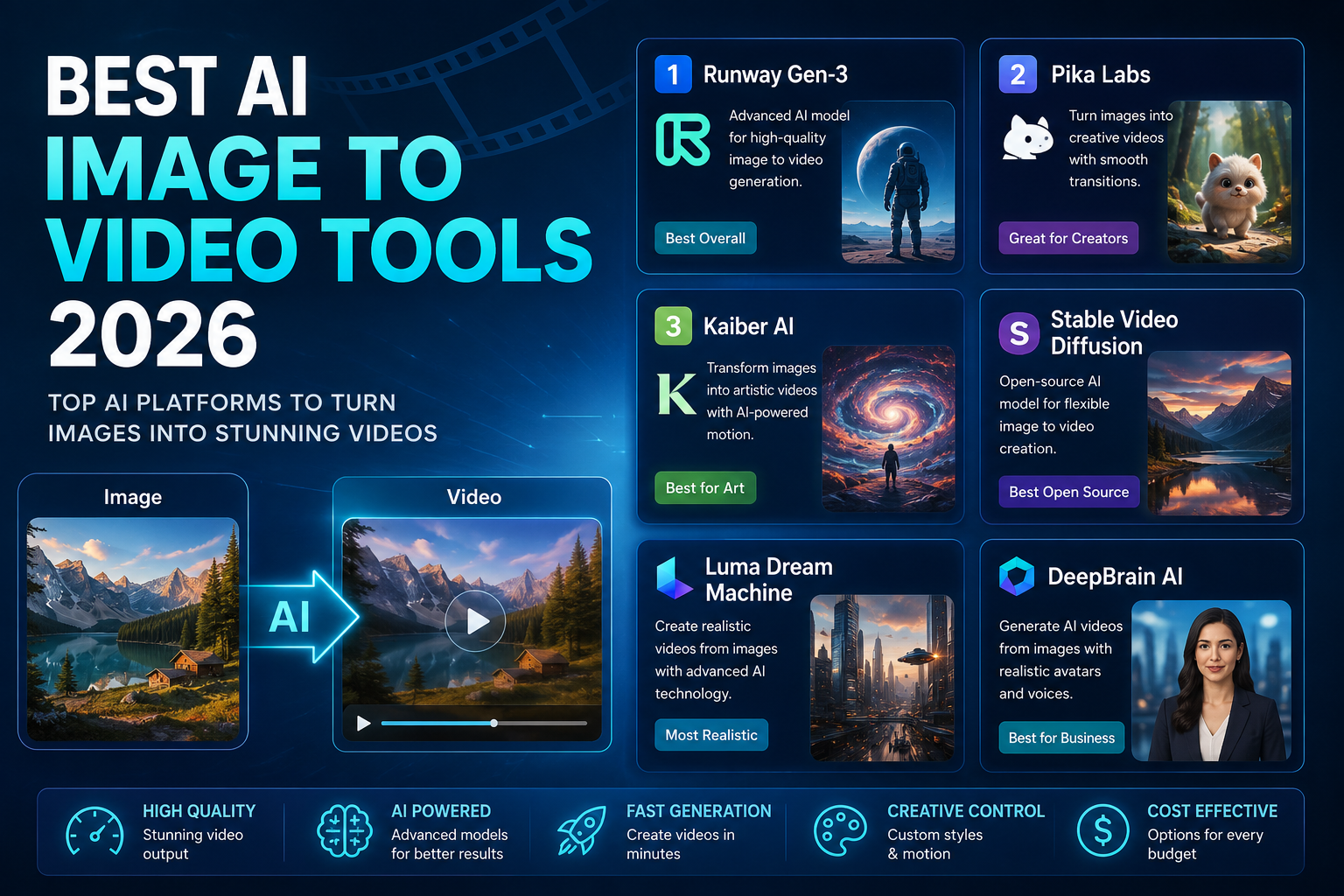
The 2026 landscape is dominated by a mix of established players and innovative newcomers. Here is a look at the platforms frequently cited as the best AI image to video tools 2026 has to offer.
Kling AI: The Standard for Cinematic Quality
Kling AI has rapidly ascended to become a top choice for creators seeking cinematic realism. Its models, particularly Kling 3.0, are praised for delivering exceptional fluid motion and realistic physics. It excels at bringing complex scenes to life with natural character movements, making it a favorite for narrative-driven content.
Kling AI’s image-to-video capabilities allow users to generate high-quality clips from a starting image, offering robust control over the final output. The platform now supports native 4K video generation, pushing the boundaries of what AI-generated content can achieve.
Runway: The Professional’s Creative Playground
Runway remains a powerhouse for creative professionals who demand granular control. Its Gen-4 and Gen-4.5 models are designed for film-level production, emphasizing character and scene consistency across multiple shots. It is an AI-inclined professional’s playground, offering a full suite of tools beyond simple generation.
The platform is known for its “studio-grade output quality” and granular controls, making it ideal for post-production teams and branded content creation. It holds a top position on the Artificial Analysis Video Arena leaderboard, a testament to its quality.
Google Veo 3 and Omni: The Multimodal Powerhouse
Google’s Veo 3 has set a high bar for realism and control. It is a favorite among PCMag editors for producing realistic clips with granular control and passable audio. Its integration across Google’s ecosystem, including Gemini and AI Studio, makes it highly accessible.
The introduction of Omni expands this further, offering multimodal capabilities that allow users to prompt with text, images, and video combined. This makes Veo one of the most versatile best AI image to video tools 2026 offers, capable of handling complex, multi-shot sequences.
Pika Labs: Speed and Stylized Simplicity
For those who value speed and creative flair, Pika Labs is an excellent choice. It is designed for fast iteration and stylized short-form content, making it a go-to for social media teams and beginners. Its app-based interface allows users to turn photos into dynamic videos quickly and easily.
Pika has carved a niche for users who want to generate engaging content without the complexity of professional editing software. Its focus on accessibility and fun has made it a popular tool for a wide range of creators.
Seedance 2.0: The Leaderboard Champion
ByteDance’s Seedance 2.0 consistently tops the Artificial Analysis Image to Video leaderboard. It is renowned for its ability to animate still images into cinematic motion with synchronized native audio in a single pass. Its strong physics simulation and camera control make it a favorite for marketers.
The model’s technical paper frames it as a native multimodal audio-video generator, positioning it as more than just a demo model. Its high Elo rating of 1196 reflects strong community and expert approval.
Adobe Firefly: Commercial Safety and Integration
Adobe Firefly stands out for its guarantee of commercial safety. Any content created with Firefly is commercially safe, making it the only major option for enterprises that need to avoid copyright risks. This is a significant advantage for brands generating assets for campaigns.
Its deep integration with Adobe’s creative suite (like Photoshop) provides a seamless workflow for professionals. While it may lack native audio, its robust controls and professional-grade output make it a staple for creative workers.
Detailed Comparison of Leading Image-to-Video Tools
To help you quickly assess the landscape, here is a comparative overview of the best AI image to video tools 2026 has available, based on our analysis and industry benchmarks.
| Tool | Best For | Key Strength | Notable Feature | Cost Consideration |
|---|---|---|---|---|
| Kling AI | Cinematic Motion | Superior motion physics & low jitter | Native 4K output | Premium pricing for high quality |
| Runway | Professional Creators | Studio-grade controls & consistency | Gen-4.5 for multi-shot narratives | Subscription-based for pro features |
| Google Veo 3 | Quality & Realism | Granular control & passable audio | Multimodal prompting (Omni) | No free option; pay-per-use |
| Seedance 2.0 | Cinematic Realism | High Elo leaderboard rating | Native audio and strong physics | Cost-effective for quality |
| Pika Labs | Speed & Beginners | Fast, stylized short-form content | User-friendly app interface | Good free credits available |
| Adobe Firefly | Enterprises | Commercially safe content | Integration with Adobe Suite | Subscription-based |
Beyond the Top Tier: Other Noteworthy Tools
While the above tools are industry leaders, several other platforms are worth mentioning as part of the best AI image to video tools 2026 ecosystem. Luma Dream Machine is praised for its depth and lighting effects, while PixVerse offers strong free tiers and creative effects. For developers, APIs like Happy Horse 1.0 provide high-rated, language-specific lip-sync capabilities.
The market is also seeing innovations from companies like Black Forest Labs with its FLUX 3 model, which moves beyond stills to generate video and audio simultaneously. This indicates a trend toward unified, end-to-end AI media generation.
Practical Applications: From E-commerce to Entertainment
The utility of the best AI image to video tools 2026 extends across virtually every industry. For e-commerce, turning static product photos into engaging videos can significantly boost conversion rates. Brands can now produce scroll-stopping content for social ads at scale, bypassing traditional production bottlenecks.
In filmmaking and entertainment, these tools are used for rapid storyboarding, concept visualization, and generating background plates. Enterprise leaders are deploying image-to-video AI for product demos and training content, creating visual simulations from simple photographs. The technology is democratizing video production, enabling anyone to become a content creator.
Common Misconceptions About AI Video Generation
There is a prevalent myth that AI video generation is a “push-button” solution that requires no human input. While tools are powerful, the best results often come from a process of iteration and refinement. As one industry expert noted, “AI image-to-video tools are not here to replace human storytelling, they are here to remove the production bottlenecks”. The human element of prompt engineering, style selection, and quality control remains critical.
Another misconception is that all tools are essentially the same. As this guide demonstrates, there is a vast difference in motion quality, physics, and prompt adherence. Choosing the best AI image to video tools 2026 for your specific use case is far more nuanced than simply picking the most popular name.
Is Y2Mate Safe? The Hard Truth About Risks, Legality & Better Alternatives
The Future of AI Image-to-Video
Looking ahead, the trend is toward greater integration and realism. We are moving from short, isolated clips to longer, multi-shot narratives with synchronized audio. The rise of multimodal models that can understand text, images, and video together suggests that future tools will be even more intuitive and powerful.
The market is projected to reach astronomical figures, with estimates suggesting a growth from $77 billion in 2026 to over $827 billion by 2030. This investment will fuel rapid innovation, bringing features like real-time generation and even more sophisticated physics simulations. The best AI image to video tools 2026 are just the beginning of a new era in visual media.
FAQs
What is the absolute best AI tool to turn images into videos in 2026?
There is no single “best” tool, as the optimal choice depends on your specific use case. However, Kling AI is widely regarded as the best for cinematic motion quality and realism. For professional-grade control, Runway and Adobe Firefly are top contenders, while Google Veo 3 offers a strong balance of realism and versatility.
Which AI image-to-video tool is best for beginners?
For beginners seeking ease of use and fast results, Pika Labs is an excellent choice. Its intuitive interface and focus on stylized short-form content make it easy to start creating engaging videos immediately. Platforms like Wink also offer beginner-friendly experiences with daily free credits.
Can I use these AI video generators for commercial projects?
Yes, but you must check the terms of service for each platform. Adobe Firefly is unique in guaranteeing that its generated content is commercially safe. While other tools allow commercial use, they may have specific licensing agreements, especially regarding the ownership of the generated video.
Is it possible to generate videos with audio using these tools?
Increasingly, yes. In 2026, the most advanced models like Google Veo 3, Kling AI, and Seedance 2.0 can generate native audio alongside the video. This includes ambient sounds, sound effects, and even lip-synced dialogue in some cases. This capability eliminates the need for separate post-production audio work.
How long does it take to generate a video from an image?
The processing time varies significantly depending on the tool and the complexity of the prompt. Some lightweight tools can generate a clip in under a minute, while premium models focused on high-quality output may take several minutes. The final resolution (e.g., 4K vs. 720p) also impacts generation speed.
Conclusion
The landscape of AI image-to-video generation has matured rapidly in 2026. The tools available today are powerful, accessible, and capable of producing professional-grade results that were unimaginable just a few years ago. Choosing the right platform depends entirely on your specific needs—whether that is the cinematic realism of Kling AI, the professional controls of Runway, the speed of Pika Labs, or the commercial safety of Adobe Firefly.
By leveraging the best AI image to video tools 2026 has to offer, creators and businesses can unlock new levels of efficiency and creativity. The technology is a catalyst, transforming still images into dynamic stories that capture attention and drive engagement. The question now is not whether to adopt these tools, but how quickly you can integrate them into your workflow to stay ahead of the curve.